
Organize your electronics and keep a handle on clutter by following these steps.
The chances are good that you’ve got a mountain of old CDs, DVDs, and even some old laptops and smartphones in a cupboard somewhere. Figuring out how to organize your electronic devices and make sure they’re undamaged only takes a few hours to take control of all your storage needs.
6 Steps to Organize Your Electronic Devices
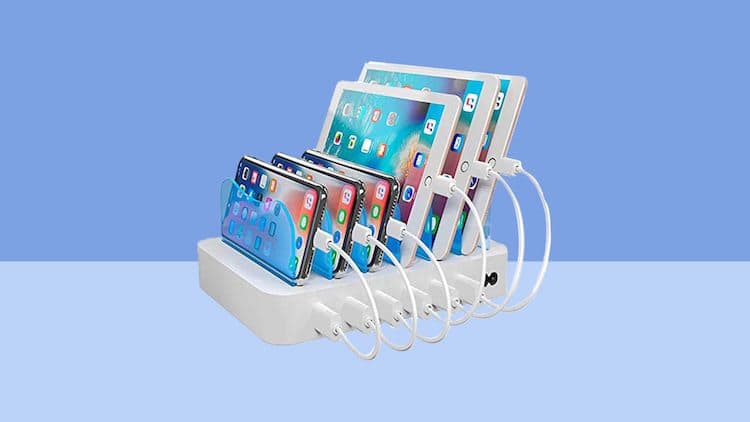
Working out how to organize your electronics requires some realistic planning and a little of your time.
There are many ways you can do it, but this guide will cover you regardless of how many electronics you have lurking in the cupboards and drawers of your home.
Step One - Trash What You Don’t Need

The most straightforward step to electronic organization is to determine what’s outlived its usefulness. An old Nokia 3210 you last used 15 years ago likely needs to go in the trash. The same goes for one of those chunky iPods.
Outdated electronics likely don’t work anymore and, if they do, won’t be compatible with most modern technology.
If you’ve still got boxes of old VHS tapes, chances are most of these can also go into the trash. Avoid any hoarding tendencies and make honest judgments about what you no longer need.
Be especially careful with any cables that haven’t been used. These may still be compatible with the devices you do decide to keep. Some simple unused cable storage can help with this, just in case.
Step Two - Dispose of Electronics Responsibly

It’s dangerous to throw electronics in the trash, and letting them pile up in the back of a closet is not a realistic option.
Consider donating old phones to a charity or organization that provides phones to the disadvantaged.
You can also search for electronics recycling locations in your local area. Many major shopping chains have facilities where you can trash your old electronics safely and sustainably.
Step Three - Choose a Central Storage Location

One of the best electronic storage ideas is choosing a central location for everything. Electronics storage at home involves designating a specific drawer or cabinet for all your old electronics.
If you’ve got a huge collection of music or movies that you can’t fit in at home, consider professional self-storage solutions, such as Boombox Storage, to give yourself more space.
Step Four - Organize Electronics Categorically

Sort your electronics by category within your electronic device storage cabinet. Your cabinet will be your primary electronics storage location.
Mix and match your categories according to your needs, such as:
- Everyday usage
- Computer equipment
- Travel devices
- Back-up components
- Household technology
Make sure you leave every shelf and drawer well-labeled so you can organize your electronics long into the future.
Step Five - Store Electronics Safely

Preserve your electronics by storing them safely. Organize electronics so that they are stored in dry environments, away from direct sunlight, and in a cool place.
The biggest danger to your electronics are batteries and ink cartridges. These are fire hazards and could cause permanent damage.
Choose your location carefully when working out how to store electronics at home. Professional self-storage can be of help if you don’t have an appropriate place.
Step Six - Keep an Inventory
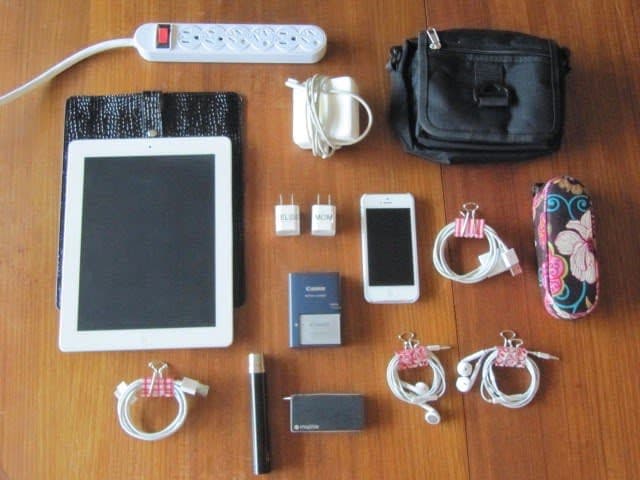
Finally, keep a written inventory of everything you have, along with appropriate labeling. Inventories enable you to remember what you have in the years to come. Keep a digital backup, such as a spreadsheet, for an extra backup of your items.
It’s also a great piece of evidence to present to your home insurance provider if you ever need to make a claim.
Top Tips on Storing Electronic Devices
You’ve already done more than most by following the basic steps above. However, you can make life even easier for yourself by incorporating the following tips into your storage plan:
- Use cable ties to prevent unruly cables from becoming tangled.
- Wrap bigger items in bubble wrap for extra protection.
- Cover gaps and vents to prevent dust build-up.
- Clean electronics once or twice a year to keep them functioning.
- Create digital backups of all data held on older electronics.
- Store within the original packaging, if you still have it.
- Opt for self-storage for high-value electronics you no longer use.
People often underestimate the additional requirements for storing older electronics. Learning how to organize your electronic devices correctly will guarantee that all your electronics will remain in tip-top condition long into the future.
Conclusion
When decluttering and organizing, you may find that you have more electronics than you anticipated. Alternatively, you may not have an appropriate place for safe electronics storage.
For all your San Francisco storage needs, Choose Boombox Storage. Our secure and affordable self-storage units come in a range of sizes to suit all your storage needs.
Learn more about Bay Area storage and book your storage unit now.